
Steadily increasing sales with a stress-free process — sounds like a dream. The right tools can move you toward the ideal state where you surpass every OKR.
This guide explores what sales automation tools are, how they fit into your tech stack, and which apps you should consider this year.
What are sales automation tools?
Sales automation tools handle repetitive tasks for the sales team to speed up the sales pipeline, scale operations, improve customer experience, and drive growth.
Some of the most common tasks that sales teams automate with their CRM include:
- Meeting scheduling — 42% of teams
- Quote generation — 36% of teams
- Prospect follow-up — 34% of teams
- Rep assignments — 29% of teams
- Lead scoring — 28% of teams
You can think of sales automation tools as an extra team member who responds instantly and moves complex data sets without a single error. Here’s how sales automation tools fit into your sales workflow and tech stack.
How sales automation platforms benefit your entire revenue team
The number of sales teams automating their work is growing, and Salesforce projects that sales process automation as a technology will grow 86% in the next two years.
Investing in sales automation creates fast, repeatable, and data-driven processes that create a better prospect experience and a more productive sales team.
Increase team efficiency, productivity, and morale amid shifting team sizes
Let’s address the elephant in the room — looming layoffs are scary. With more than 160,000 layoffs in the tech industry alone this year, you and your team might not feel emotionally centered or be fully staffed.
Sales automation tools take care of administrative and repetitive tasks so you can focus on high-impact work. Freeing time and mental space helps small teams move mountains while preventing burnout from increasing pressure and workloads. Plus, sales automation tools with performance analytics and forecasting are a great way to demonstrate your team’s impact and get budget buy-in.
Improve customer experience to stand out among budget cuts
Relationships and emotions are an abstract but undeniable part of the sales process. Sales automation tools let you respond to prospects quickly and make working with your company a breeze. In a time when 99% of business leaders plan to cut costs, beating competitors to your prospects’ inboxes and booking meetings instantly helps your company stand out.
Sales pipeline automation tools also help you assign the right sales rep to each prospect for a better chance of success.
Standardize and scale to continuously improve
Continuous improvement requires consistent efforts — you first need everyone to follow the same playbook to understand how well it works. Sales automation tools prevent reps from going rogue while helping new team members get up to speed quickly. Plus, you can use automation tools to leverage advanced, multi-channel customer journeys.
Strengthen security
Manually moving customer contact data between email, a spreadsheet, your CRM, and a calendar isn’t secure. Many sales automation tools have enterprise-level data security that handles sensitive information safely and effortlessly.
Improve internal collaboration to speed up sales
Cross-team collaboration is a worthy goal, but sharing information and ideas is a burden when teams work in different tools. For 30% of the revenue team members surveyed during Growth Week, accessing data and feedback from prospects is a top challenge.
Automation tools and CRMs enable sales and marketing teams to pass off prospects automatically, so each team is empowered to do their best work (without duplicating work in other tools). The faster teams share data, the faster you can close deals, and the less likely a prospect will go unnoticed.
How to evaluate sales automation tools
As you’ll soon discover, there’s a mountain of sales automation tool options to streamline your work, and each has a unique mix of features and pricing. Here’s a five-step process to help you create a tool stack that balances your budget and goals.
1. List your top business goals
Every team and business has (or should have) a guiding goal, philosophy, or priority. Listing out what your leaders care about helps you work in flow with the organization and increase your chances of getting the green light to invest in a tool. Example goals you might optimize for include:
- Faster time to close
- Higher deal size
- Bigger pipeline for a specific customer segment
2. Identify potential automation tasks
Once you have a guiding theme, identify steps in that workflow that are automation candidates. Look for actions that are:
- Data-intensive or complex
- Time-consuming
- Managed across multiple apps
- Repetitive
- Time-sensitive
3. Rate features as ‘need’ or ‘nice to have’
Now it’s time to narrow down your features and tasks list into two categories: need to have and nice to have.
- Need-to-have features align with your top goals and are essential to realizing the ROI of the sales automation tool
- Nice-to-have features help the team, but might not align with critical initiatives
4. Invest in ‘need,’ strategize for ‘nice’
You likely won’t have the budget for every tool you admire, so you need a mix of strategy and tools. Navigate by investing in need-to-have features while looking for free or low-cost ways to address your nice-to-haves.
5. Consider usability, reviews, and support
Don’t let a mile-long features list sweep you away into an app your team struggles to use. Consider elements like:
- Ease of use
- Customization options
- Technical requirements for setup
- Support materials and customer service
- Migration and setup services
- Integrations with your current tools
What is the best sales automation software all-in-one?
A McKinsey study revealed over 30% of sales activities are candidates for sales automation, and some tools handle many of those tasks on a single platform. All-in-one sales hubs and CRMs have features like qualified lead databases and automations for repetitive tasks like lead assignments.
1. Salesforce Sales Cloud
Business pricing: Starts at $25 per month
Free trial: 14 days
G2 rating: 4.3/5
Salesforce Sales Cloud users see an average 29% increase in productivity thanks to the CRM and features like account and contact management, mobile app, and process automation. The drag-and-drop editor creates workflows, auto-assigns sales tasks, makes custom proposals, and guides salespeople to optimize every effort.
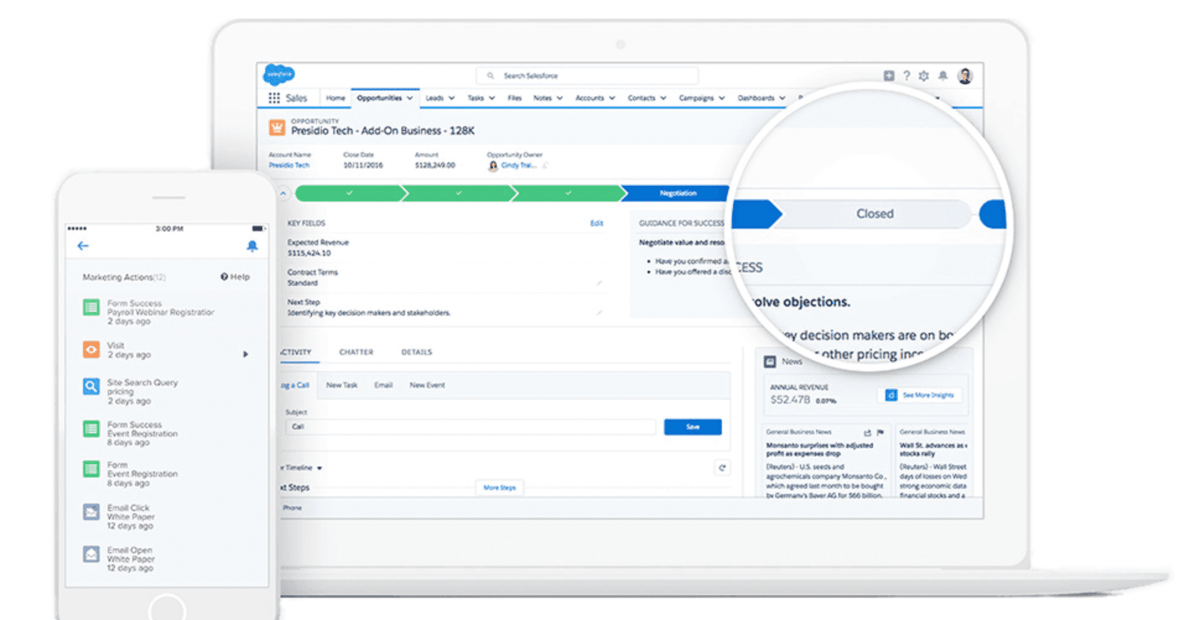
One user shared they use Salesforce Sales Cloud for “sales automation, account tracking, contacts, leads, and opportunities. We manage our pipelines from end-to-end within the CRM and have full visibility into forecasting, task management, etc.”
Salesforce users enjoy integrations with popular apps like Slack, Calendly, and GSuite tools like Gmail.
Features
- Automated lead management
- Sales rep guidance center
- Real-time milestone tracking
- AI lead scoring
- Account-based marketing analytics for marketing and sales collaboration
- Forecasting
Pros
- Integrates with other Salesforce products to work across teams
- Offers a robust features list from a legacy provider
Cons
- Has a learning curve to navigate the platform
- May require technical support for advanced automation setup
2. HubSpot Sales Hub
Business pricing: Starts at $90 per month
Free trial: No
G2 rating: 4.4/5
HubSpot Sales Hub is a popular all-in-one sales management and automation platform often compared to Salesforce Sales Cloud.
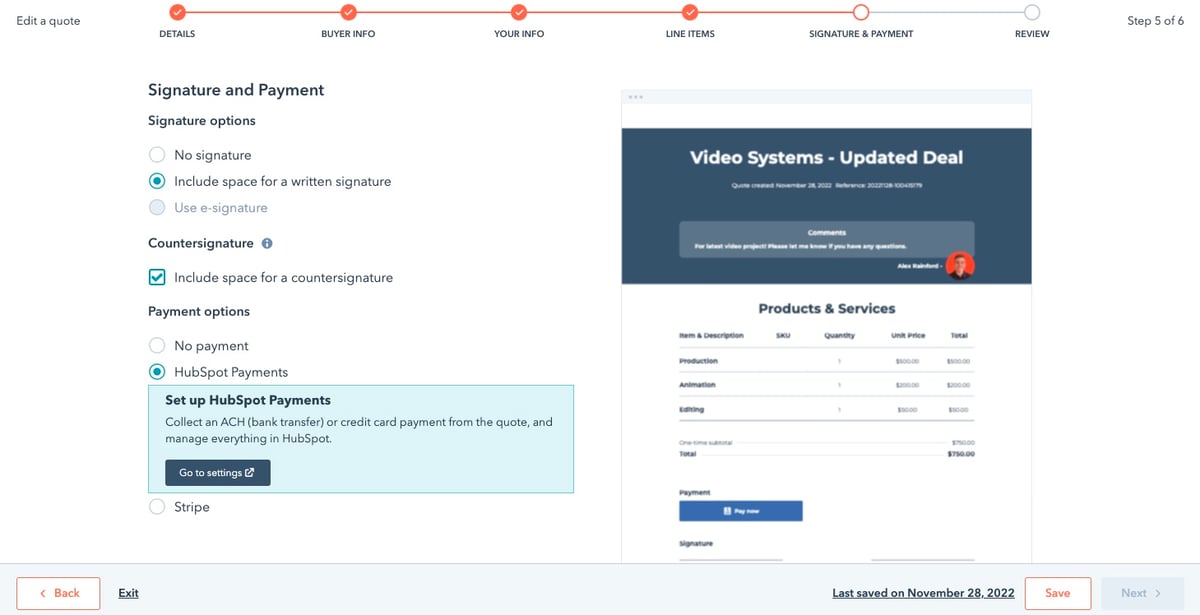
The sales automation platform has email templates and tracking, automated follow-up, pipeline management, and sales analytics. Like Salesforce, HubSpot’s Sales Hub integrates with Calendly for automatic meeting scheduling.
Features
- Automated email series and tracking
- AI-powered conversation insights
- Sales document management
- Live chat
- Secure payments
- Sales management playbooks
- Sales pipeline dashboard
- Collaborative account-based management tools
- Chatbot builder
Pros
- Is easier to set up than Salesforce Sales Cloud, according to G2 users
- Has high-rated customer support
Cons
- May need technical support for advanced automation setup
- Lacks some customization options for automations
What are the best sales prospecting automation tools?
Finding and qualifying prospects is a non-negotiable sales task, but these automation apps help you find new leads in less time to close more deals.
3. VideoAsk by Typeform
Business pricing: Starts at $24 per month
Free trial: No
G2 rating: 4.5/5
What if you could personally prospect and qualify leads at scale? VideoAsk by Typeform can help. The app lets you record videos for prospects, but you can also put it on autopilot with conditional logic that moves prospects through your funnel. Then, integrate VideoAsk with Calendly to automatically funnel those warm leads into your automatic appointment scheduler.

Features
- Interactive video flows
- Lead qualifying
- Performance and engagement data
- Drop-off analysis to find ways to improve your sales prospecting
Pros
- Focus your hands-on time with pre-qualified leads
- Integrate with popular CRMs and calendar apps
- Create a more personal experience to connect with potential customers
Cons
- Bases pricing on minutes of processed videos, which some users report is hard to plan for
4. Growbots
Business pricing: Starts at $49 per month
Free trial: 14 days
G2 rating: 4.5/5
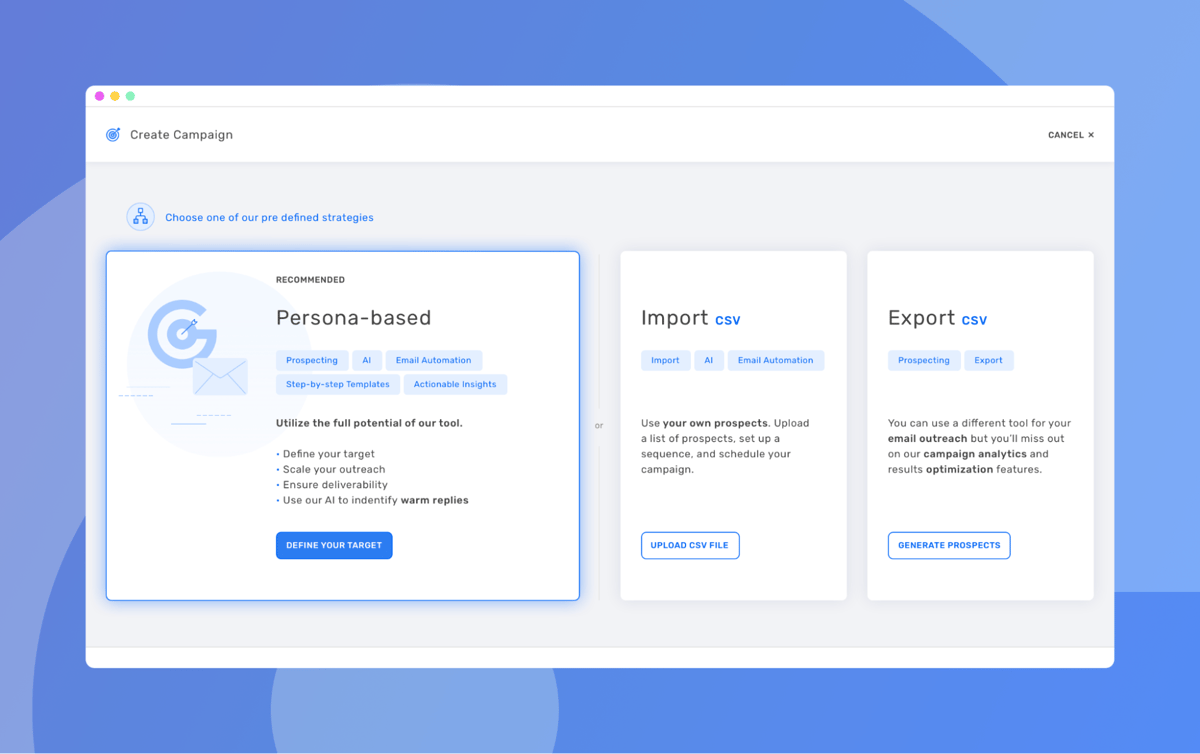
Growbots is an automated outbound sales tool with lead generation and nurturing features. Sales teams can create a curated outreach list from Growbots' 100 million person database. Then, teams can create and schedule personalized emails, A/B test email marketing campaigns, and analyze results.
Growbots’ database automatically updates, so you always have current contact information. You also can import your lead data. One user noted, “The Growbots platform generates leads I would never have found on my own, not to mention the countless hours I would have spent to get a fraction of the results.”
Features
- Prospect database
- Customizable prospect criteria
- A/B testing
- Outbound email automation
- Email warm up service
Pros
- Gives you access to a database of 170M+ verified prospects
- Has self-service, concierge, or premium support levels for outbound strategy
Cons
- Database leans toward a B2B audience, so weigh their contacts against your target audience
What are the best sales pipeline automation tools?
Your sales team needs visibility into active (and stalled) deals, but endless email threads and disjointed context waste your productive hours. Here are tools to automate and inform your sales pipeline.
5. Gong
Business pricing: Custom
Free trial: No
G2 rating: 4.7/5
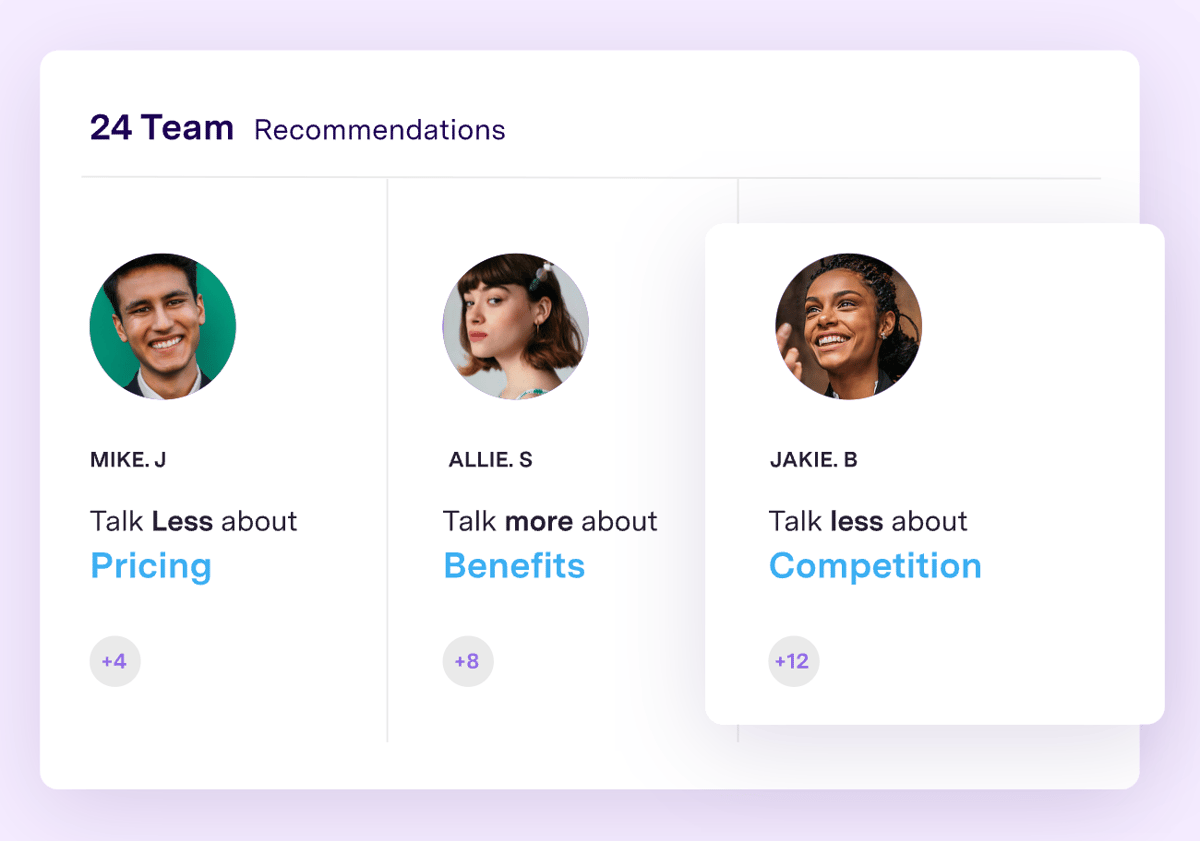
Gong is one of the fastest-growing companies in North America and is No. 14 in G2’s 2023 Best Software Product list. The app promises to help sales teams “stop losing winnable deals” with AI-driven customer intelligence. Gong records sales calls and then uses AI to make recommendations and forecasts. Here’s what that means for your sales pipeline — Gong automatically updates your pipeline with data from actual prospect interactions and alerts you to areas that need attention, like a stalled deal or a ghosted prospect.
Features
- Call recording and AI-powered analysis
- Forecasting
- Sales rep activity analytics
- AI-powered recommendations based on past win/loss data
- Automatic pipeline warnings like “not enough contacts,” “stalled in stage,” and “ghosted”
Pros
- Teaches you how to best move prospects through your pipeline with smart insights
- Integrates with Calendly, HubSpot CRM, Salesforce, and Microsoft Dynamics 365 to keep records across your workflow up to date
Cons
- Has a steep learning curve because of the depth of features
6. ActiveCampaign
Business pricing: Starts at $19 per month
Free trial: 14 days
G2 rating: 4.6/5
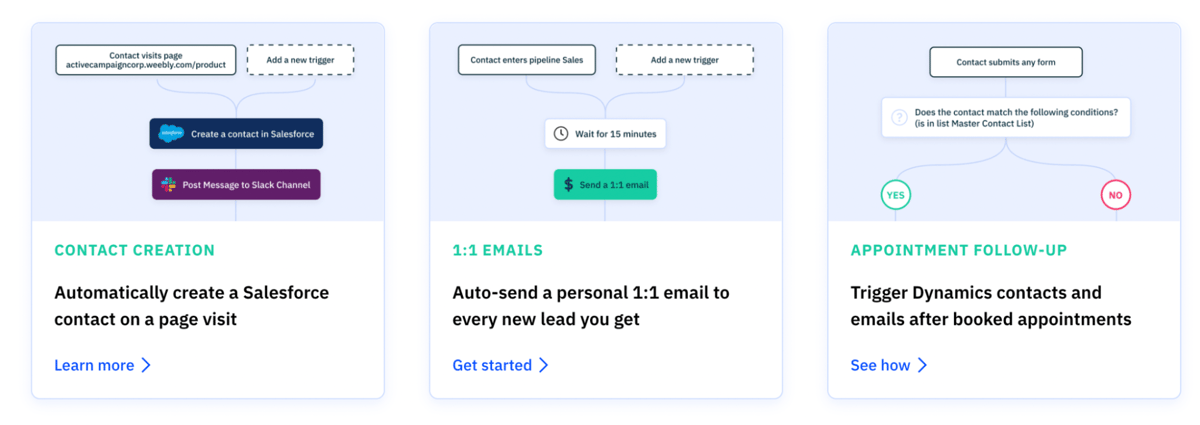
ActiveCampaign lets you automate each step of the lead nurturing and sales process. The app’s sales pipeline view offers a customizable way to track deals at each stage and has “win probability” data to direct your attention to high-value opportunities.
Features
- Customizable sales pipeline view for full context on one platform
- Automatic “win probability” data to prioritize your pipeline
- Automatic task assignment
- Lead scoring
- Notifications when leads are gaining momentum
- Automated outbound one-to-one emails
- Customizable sales funnel automations
Pros
- Connects with top apps like Mailchimp, HubSpot, Salesforce, Calendly, and Google Sheets to work across your funnel
- Has pre-built automations to get started quickly
Cons
- Has some analytics restrictions for one-to-one emails
What are the best lead management automation tools?
The speed and quality of your first interactions with a prospect make or break initial impressions. Lead management automation tools help you put prospects in contact with the right sales rep and move them through the sales funnel without manual intervention.
7. Calendly
Business pricing: Starts at $12 per month
Free trial: 14 days
G2 rating: 4.7/5
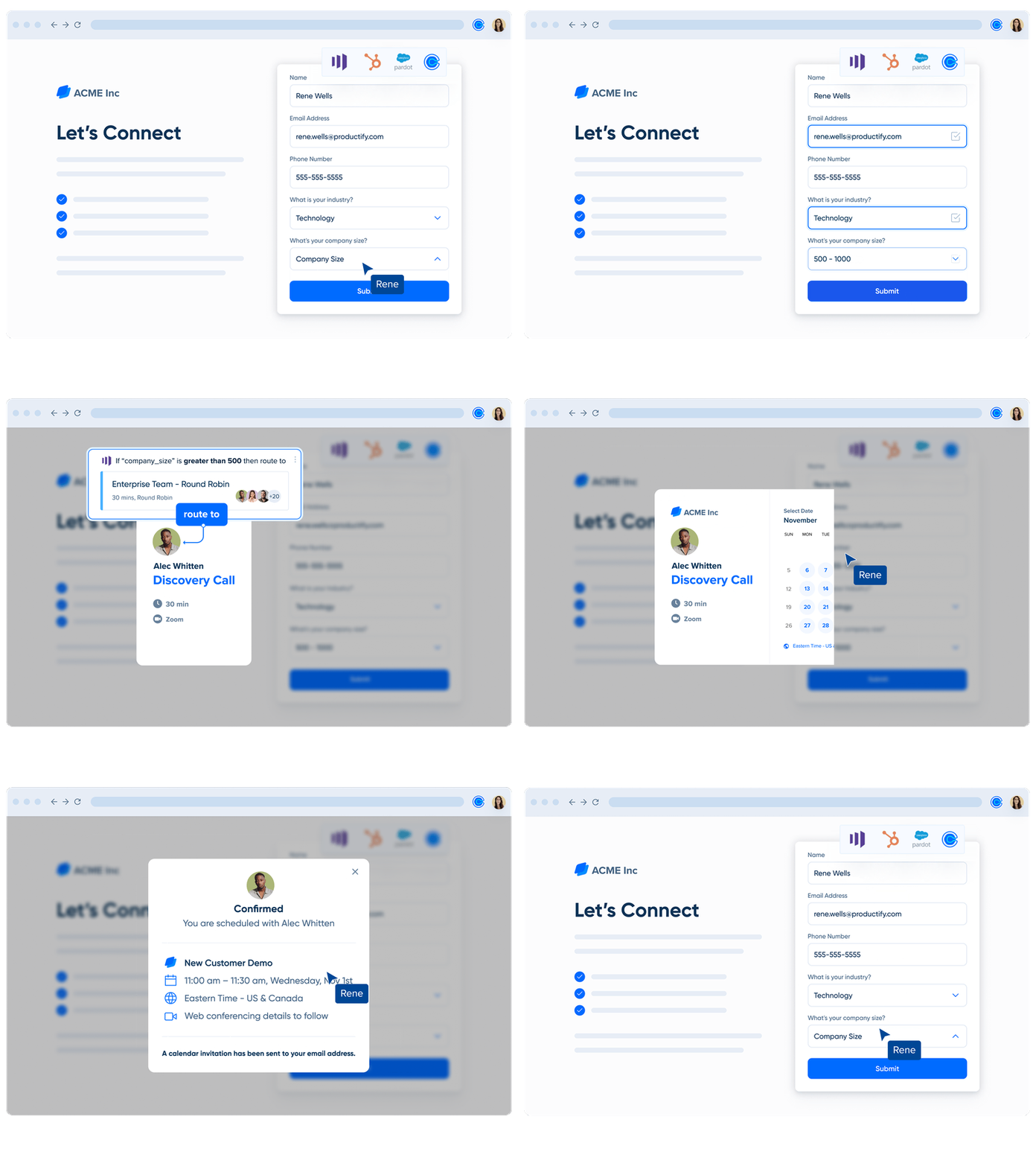
Calendly Routing qualifies, routes, and schedules prospects automatically. Instead of manually reviewing prospect profiles across apps and then going back and forth to find a meeting time, Calendly moves leads along your sales funnel instantly and automatically.
Since Calendly Routing automatically determines whether a visitor is a prospect who needs to talk to sales or a customer who needs to chat with their account manager, you can deliver a frustration-free experience on the first try.
Features
- Salesforce integration with real-time account owner lookup for lead routing
- Integration with Microsoft Dynamic 365 to sync lead info
- Integration with Marketo, HubSpot, and Pardot forms, plus a native form builder
- Custom automated workflows
- Advanced meeting distribution rules
- Custom meeting distribution rules like Round Robin or equal distribution
- Automatic meeting reminders via email or SMS
Pros
- Connects with more than 100 apps to fit into your existing tech stack
- Screens and qualifies prospects using data across tools
- Creates a positive and easy-to-use experience for prospects
- Has custom calendar preferences like buffers and meeting limits to avoid burnout
Cons
- So far, only integrates with routing forms from Marketo, HubSpot, and Pardot
%20gated%20guide.png)
Qualify, Route, and Book Sales Meetings Instantly
Fill pipeline faster and drive more revenue using scheduling automation.
8. Clearbit
Business pricing: Custom
Free trial: No
G2 rating: 4.4/5
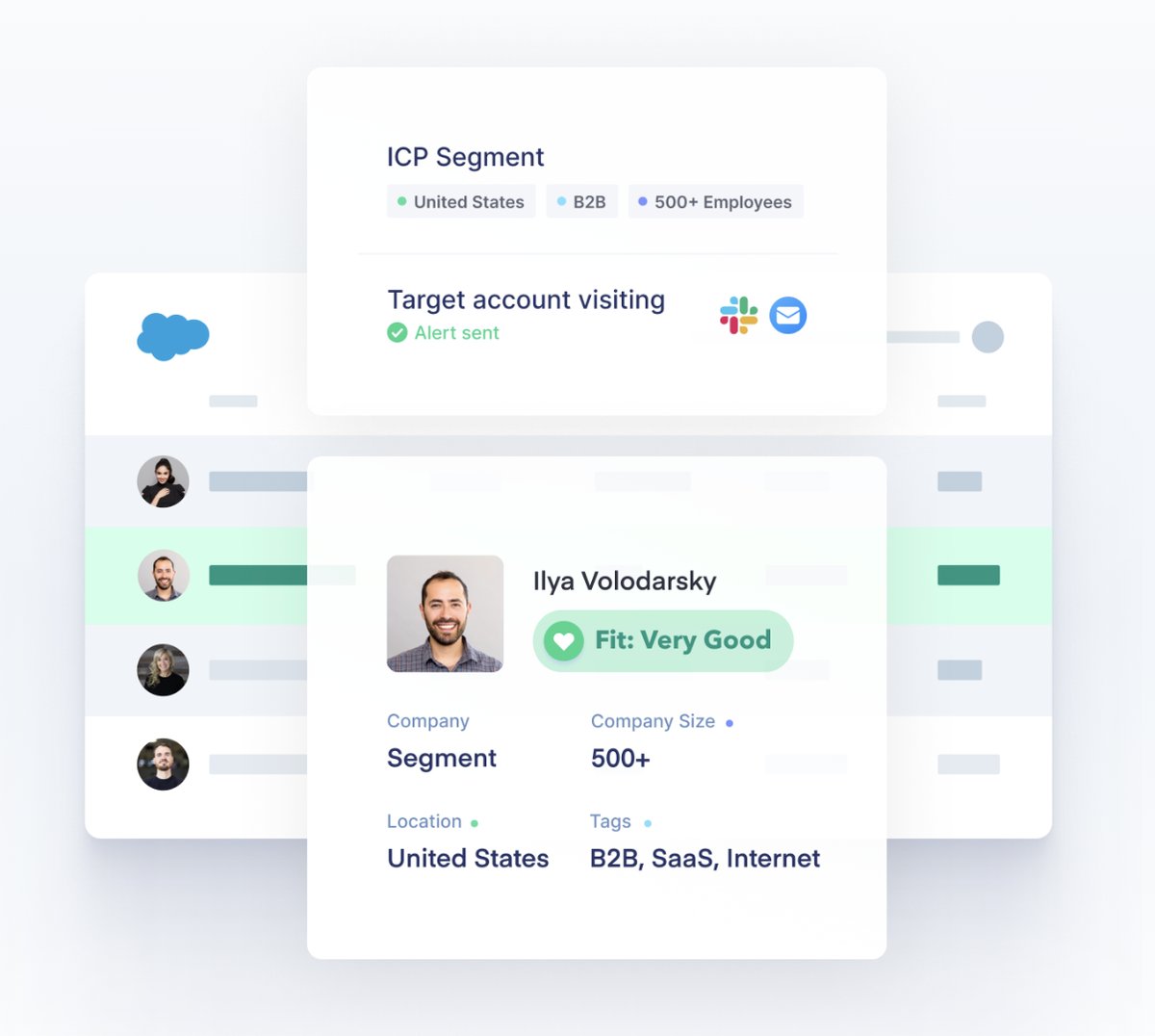
Clearbit is technically under the “data enrichment” category. But this popular sales tool has a range of features including form optimization, and even ad targeting. For now, let’s focus on its lead management capabilities. Clearbit helps you prioritize leads by compiling prospect data to identify qualified buyers.
Features
- Database of over 250 million contacts at 44 million companies
- Automatically identify companies behind anonymous site visits
- Customizable lead scoring
- Automatic routing
Pros
- Qualifies leads based on data points across sites to find customers who are ready to buy
- Connects to popular CRMs, marketing tools, and booking apps like Calendly
- Creates new Salesforce accounts and contacts when target segments visit your site
Cons
- Calculates pricing based on database size instead of usage-based, according to users
What are the best meeting management tools?
Meetings with leads allow sales teams to learn about pain points and pitch their product. Still, manually scheduling and managing appointments is a huge time sink. Tools that make planning easy and give sales reps and leads a place to connect are essential to an efficient sales team’s tech stack.
9. Zoom
Business pricing: starts at $19.99 per month
Free trial: No
G2 rating: 4.5/5
You're doing something right when your app is so popular it becomes a verb. Zoom has multiple sales team use cases, like automatically linking Zoom and your scheduling app (like Calendly) to attach a video conference link to your meeting invitations.
Zoom also has conversational intelligence tools that provide feedback, like how long your sales rep spiels are and whether they listed the next steps. These insights are a great way to get instant feedback and add quantitative data to sales rep performance reviews.

Features
- Virtual meetings and events
- AI-driven post-meeting insights
- Transcript highlights
- Smart alerts on conversation health and sentiment
Pros
- Integrates with scheduling apps and calendars to easily manage and join meetings
- Helps you learn from and reference previous meetings
- Is easy to use and familiar for a wide range of prospects
Cons
- Only has basic scheduling assignments — you’ll need a lead management app like Calendly for advanced routing
What are the best sales call automation tools?
There’s no substitute for a one-on-one sales call, but there are tools that create automatic insights and make outbound calls a breeze. A Salesforce study revealed that sales managers combining sales rep coaching with technology-driven insights have higher win rates than teams without sales tech.
10. Chorus
Business pricing: Custom
Free trial: No
G2 rating: 4.5/5
Sales reps have a lot to juggle on prospect calls, and Chorus helps them make the most of every minute. One review shared that “Chorus allows me to be an active listener in my calls. I don't have to worry about extensive note-taking since Chorus records, transcribes, and highlights specific events in the meeting (i.e., competitors mentioned, next steps, etc.).”
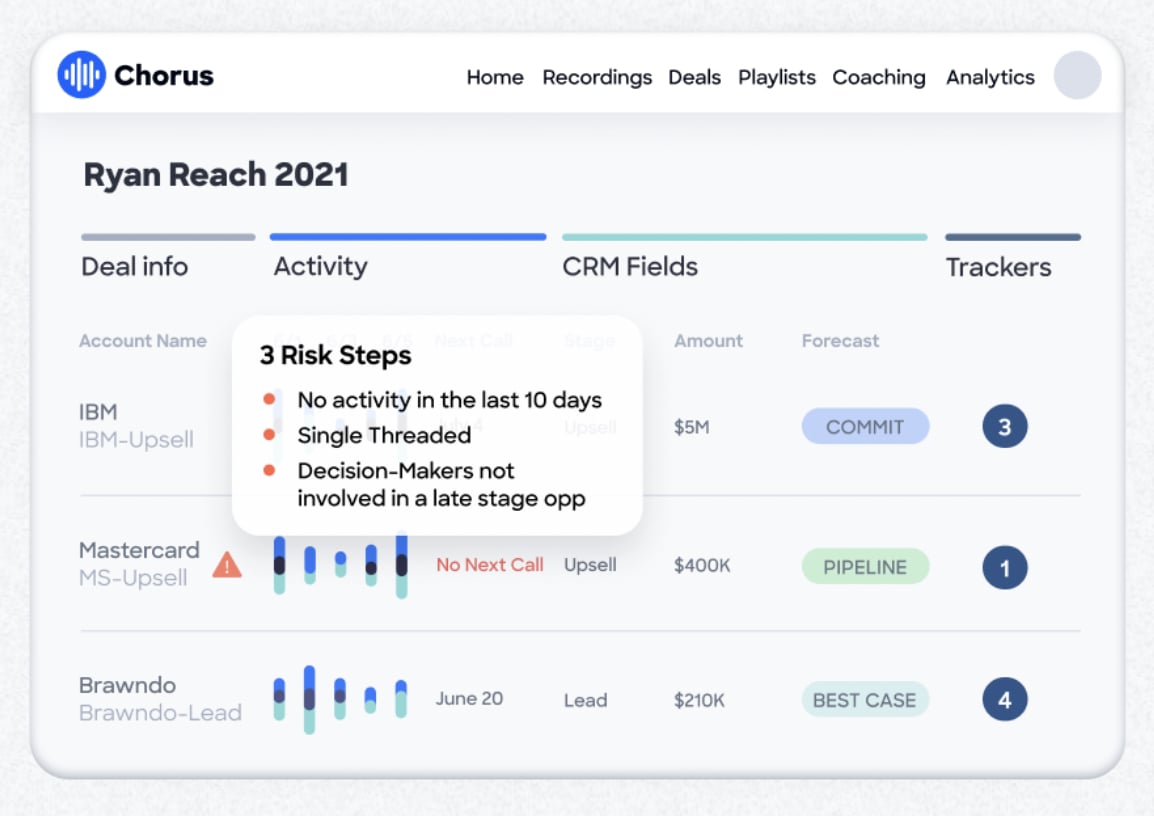
The app can help with automatic sales forecasting, AI-driven pipeline warning signs, and meeting recordings and analysis.
Features
- Automatic detection of AI-driven pipeline warning signs
- Call recording and sharing
- Sales call data and benchmarks
- Automatic coaching and team insights
Pros
- Integrates with a wide range of popular apps
- Automatically detects important call moments like next steps, competitor mentions, and feature requests so you can give your prospects your full attention without missing essential details
- Identifies different callers within the same room for more accurate transcripts
Cons
- Organizing call recordings isn't intuitive
11. VanillaSoft
Business pricing: Starts at $99 per month
Free trial: No
G2 rating: 4.6/5
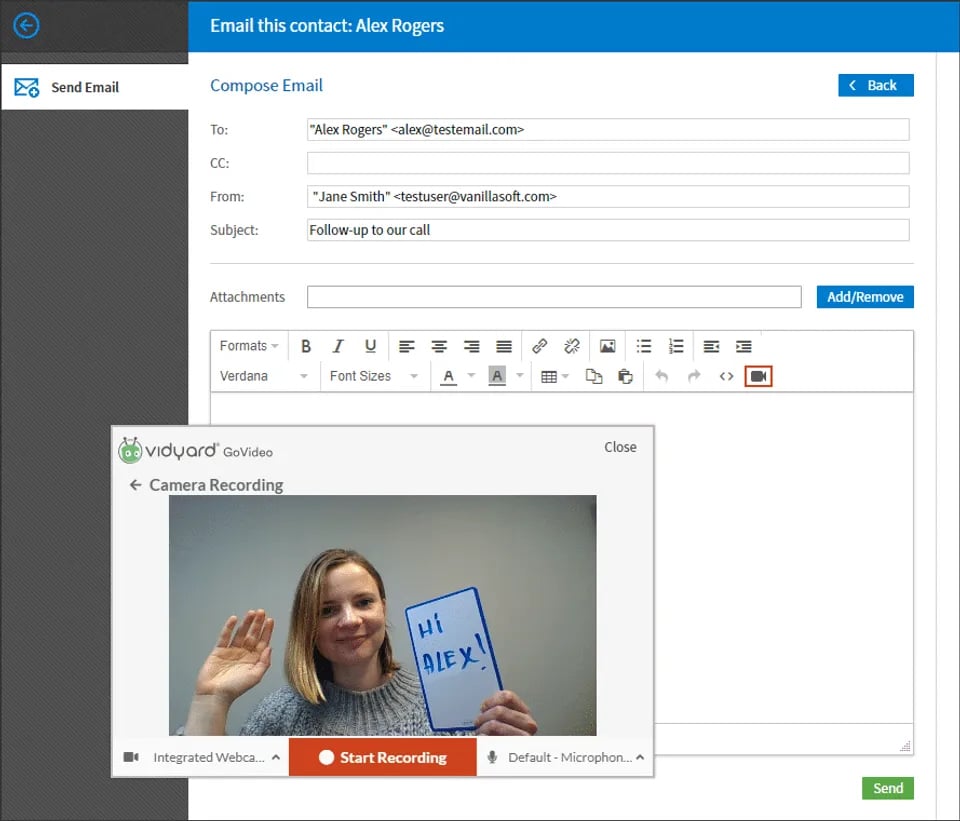
VanillaSoft calls itself a ‘queue-based sales engagement platform,’ making it a useful tool for sales teams that field a high call volume or outreach from multiple channels. The app also automatically prioritizes incoming leads to maximize the sales team’s time.
Features
- Lead scoring
- Auto dialing
- Queue-based lead routing
- Call recording
- Voice over Internet Protocol (VoIP) to make calls via internet instead of a phone line
Pros
- Supplements your prospect list with VanillaSoft’s database of 40 million contacts
- Has a diverse set of tools for inside sales, telemarketing, and lead management
Cons
- Has limited customization for lead distribution among reps
What are the best sales email automation tools?
Sales emails are a great way to stay in touch with prospects, but even sending a short email here and there can consume a lot of time. Here are a few sales email campaign tools to fill your sales pipeline on autopilot.
12. Streak
Business pricing: Starts at $49 per month
Free trial: No
G2 rating: 4.4/5
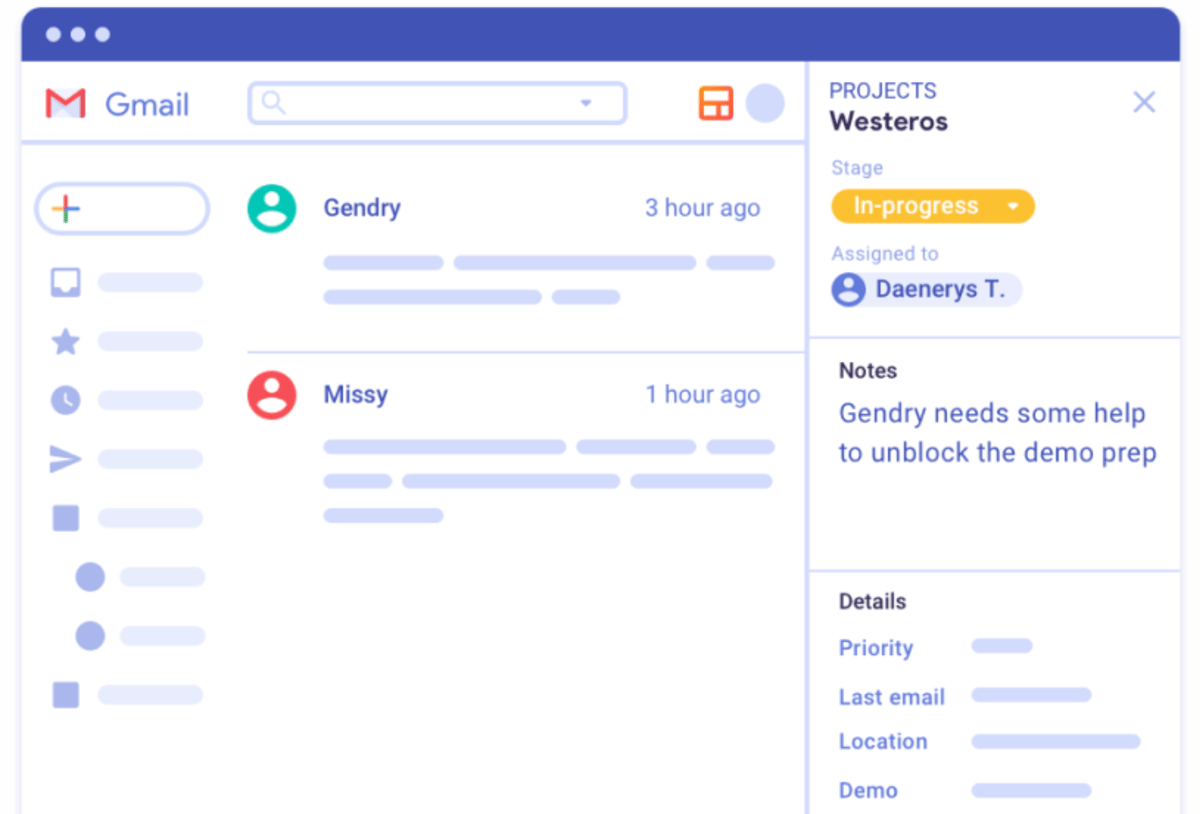
Dear Gmail users, you can manage leads and send automated emails without leaving your inbox with Streak. Smaller companies can use Streak as a CRM for sales teams built within Gmail, so you can work with potential customers without moving back and forth between tabs.
Here we’re highlighting Streak’s strong email capabilities. It lets you schedule emails, create easy mail merges, and track how prospects engage with your email. The Streak and Calendly integration lets you automatically set up meetings and update your pipeline inside your inbox.
Features
- CRM
- Email open tracking
- Centralized email templates and snippets for the team
- Data filters to view emails
- Email sidebar with customer info and context
- Custom permissions
Pros
- Enables multiple people to work with the same prospect by splitting conversations into multiple threads and automatically sharing past messages
- Allows you to do all of your CRM, scheduling, and email outreach work without leaving your inbox
Cons
- Has fewer integrations than other CRMs and email automation tools
13. Close
Business pricing: Starts at $99 per month
Free trial: 14 days
G2 rating: 4.6/5
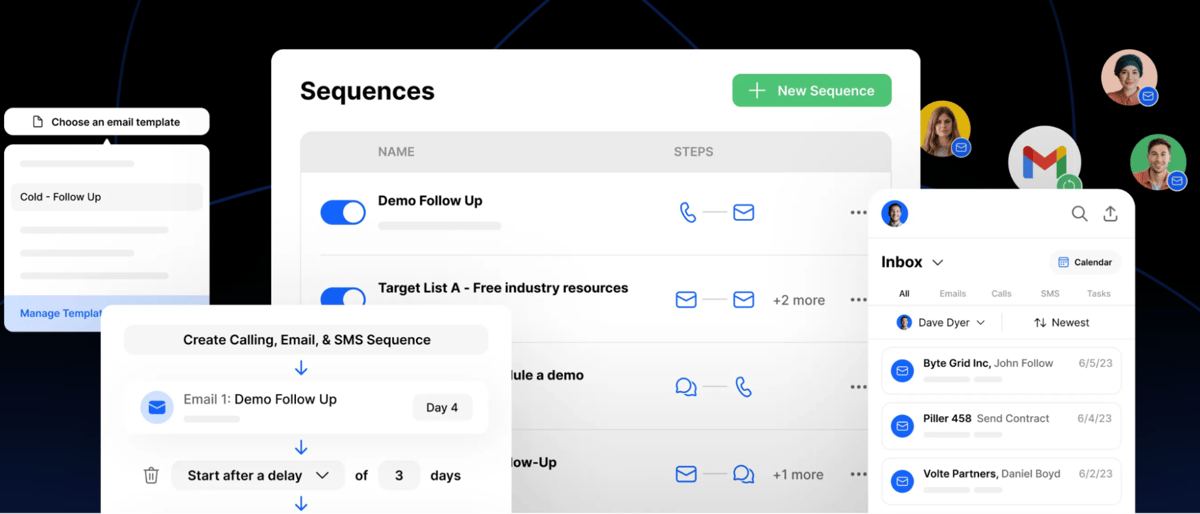
Another CRM, Close also features a strong, built-in email automation tool that allows custom, multi-channel sales sequences. Close also integrates with Calendly to fill your calendar with demo calls without back-and-forth scheduling messages clogging your inbox.
Features
- CRM
- Multi-channel automated sequences across email, call, and SMS
- Email templates
- Drip campaigns
- Built-in search function to find past contract mentions, conversations, and customers
Pros
- Has an intuitive sequence set up
- Integrates with HubSpot, Zapier, Calendly, Microsoft 365, and more
Cons
- Lacks some customization options in reporting features
What are the best sales forecasting automation tools?
“It feels like it will be a good quarter” doesn’t stand up to scrutiny at important meetings. Here are the sales forecasting tools you can use to automatically create stand-out reports that help you plan and pitch.
14. Outreach
Business pricing: Custom
Free trial: No
G2 rating: 4.3/5
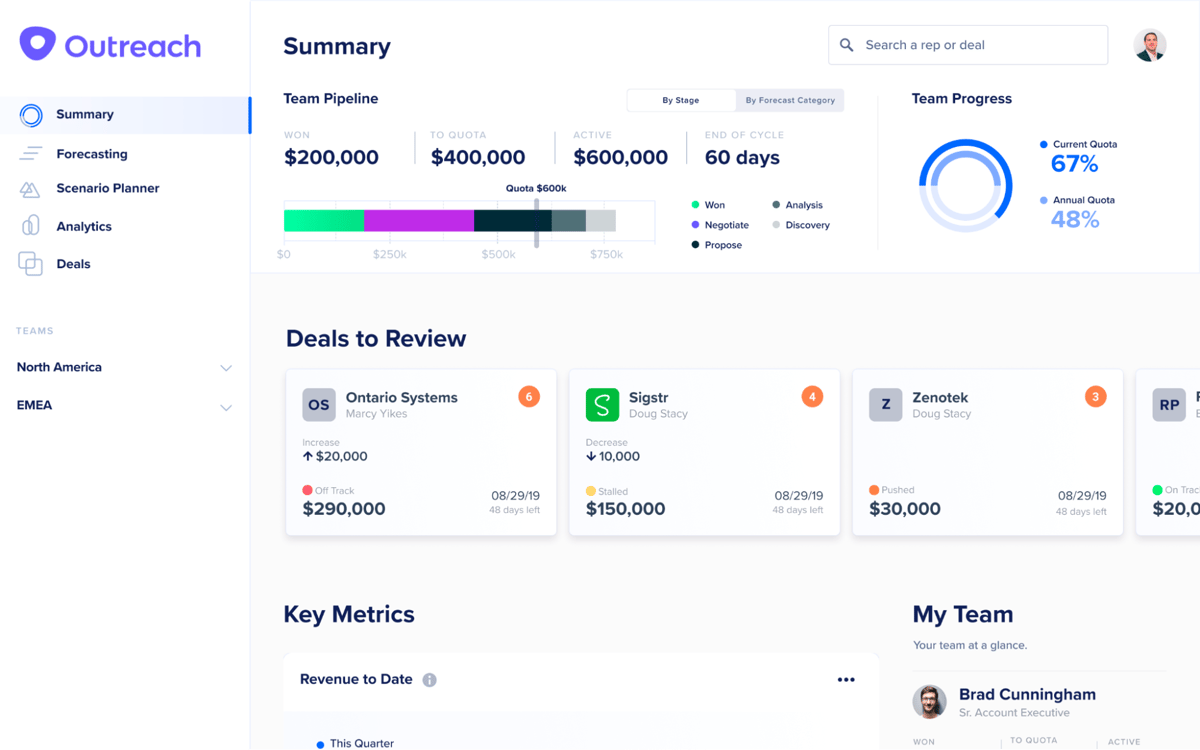
Outreach offers email tracking and automation features like real-world, tested playbooks and AI-driven insights and suggestions for sales reps. With an automatic dashboard, sales leaders and decision-makers can investigate deals that require action. Outreach also offers forecasting tools like automated forecast roll-ups and customizable scenario planners.
Features
- Automated forecast roll-up
- Total projected finish
- Intra-quarter modeling
- Scenario planner
- Forecast submission history
- Parallel forecasting
- Deal health scores and trends
Pros
- Flexible forecasting, with tools to run different scenarios and view past reports
- Additional features like pipeline management and sales rep coaching
Cons
- Robust feature set presents a learning curve
15. Clari
Business pricing: Custom
Free trial: No
G2 rating: 4.6/5
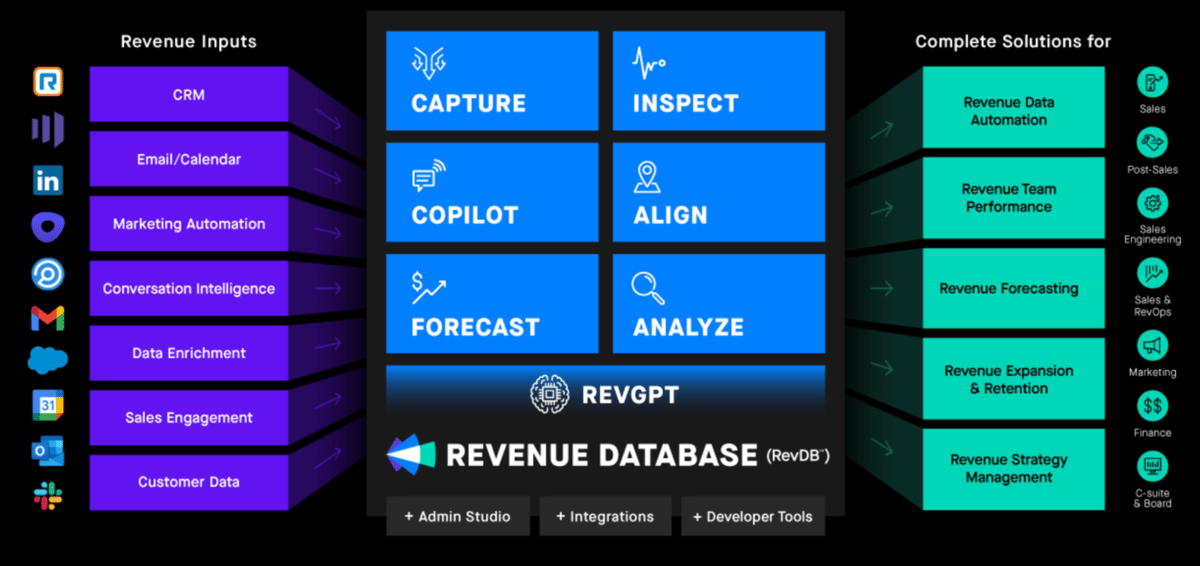
Clari is a revenue platform that helps teams forecast up to 95% more accurately thanks to a mix of sales rep input, past performance, and deal info. The app pulls in data from your sales CRM, calendar, marketing automations, and more to deliver insights across your pipeline.
Features
- Sales analytics
- Forecasting
- AI-driven revenue intelligence suggestions
Pros
- Helps visualize data and create reports to share progress, plan initiatives, and get buy-in
- Combines data across apps plus AI to find opportunities to engage and evolve
Cons
- Lacks some forecasting customization options
Now is the time to automate your sales workflows
If you want to make the next 12 months your best sales year yet (think: more wins and less frustration), you need to automate. Giving your sales team the right automation tools will increase their efficiency and boost your company’s bottom line.
No matter your company size, now is the time to invest in the tools necessary to identify, access, and nurture prime leads — and close that deal.
Get started with Calendly
Ready to make meetings easier than ever?